)

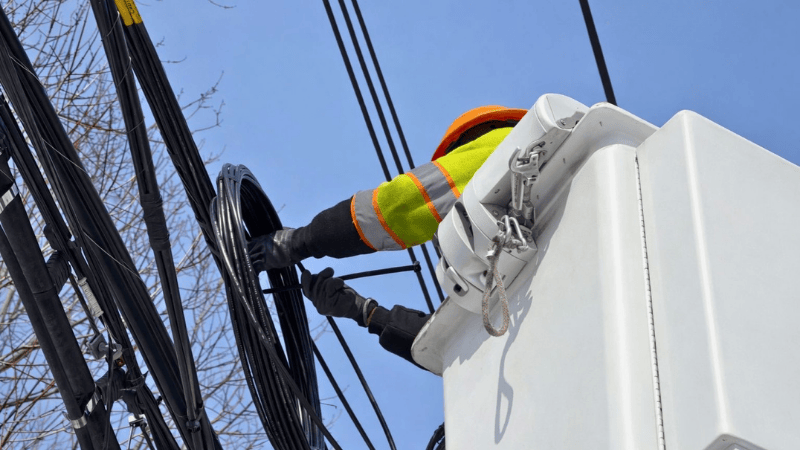
Before the fancy internet hits your router, it needs to survive the outdoors. This is the job of the fiber termination or closure box. Imagine a sturdy, sealed plastic or metal box you'll see on a telephone pole, lashed to the side of an apartment building, or in a dusty equipment room. Its entire purpose is physical protection.
I don't find the technical details here as critical as the build quality. A good one is weatherproof, often with a rubber gasket, and has sensible internal brackets for organizing and storing the delicate fiber splices.
The difference between a decent one and a cheap one becomes apparent after a year of sun, rain, and temperature swings. The cheap ones get brittle, the seals fail, and moisture or dust gets in, leading to signal degradation. I've opened boxes where the internal fiber loops are a tangled mess because there was no proper spool, making future maintenance a nightmare.
Look for boxes that prioritize accessible, clean internal management. Brands like Corning, Gloryoptic, or even reputable generic manufacturers from major electronics hubs produce reliable models. The key is a robust shell and a logical, spacious internal layout.
This is the star of the show for most users-the Optical Network Terminal. This is the box your Internet Service Provider (ISP) gives you (or tells you to buy). It's the translator, converting the laser light signals on the fiber into the electrical Ethernet and Wi-Fi your devices understand.
Here's the practical truth many ISPs don't shout about: not all ONTs are created equal, and yours can be a bottleneck. If you're paying for a multi-gigabit plan, you must check if your ONT has a LAN port fast enough to deliver it. A 2.5GbE or 10GbE port is essential for plans above 1 Gbps. The Wi-Fi capability is also huge. The standard-issue ONT from a few years ago might only have mediocre Wi-Fi 5. Upgrading to a unit with Wi-Fi 6/6E can transform your wireless coverage.
A common question I get is: "Can I buy my own?" The answer is a cautious "sometimes." You need one compatible with your ISP's specific technology (GPON, XGS-PON, etc.) and authentication method. Popular user-upgraded models include the Huawei HN8145XR or the ZTE F7607P, often sought after for their better performance and more advanced features compared to basic ISP rentals. It requires some technical confidence to configure, but the payoff in control and performance can be significant.
The In-Wall Connection Point ()
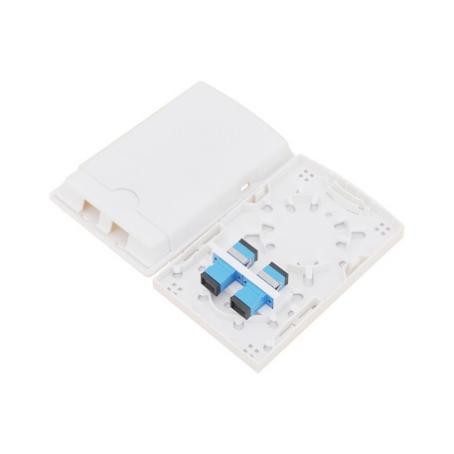
It's simply a wall plate, like one for electricity, but with a fiber optic connector (typically a blue SC or green LC port) in the center. Its job is to provide a neat, permanent, and protected endpoint for the fiber cable inside your wall, terminating the "fixed" part of your network wiring.
Why bother? Because running a bare, fragile fiber cable from a hole in your baseboard to your ONT is messy and risky. An outlet makes it look professional and allows you to use a short, sturdy "patch cable" to connect to your ONT. It's all about flexibility and protection. You can have these installed in multiple rooms if you're planning a future-ready home with FTTR (Fiber to the Room), where the main fiber line is distributed to secondary units around the house. The installation requires a technician to properly fuse the fiber to a connector mounted behind the plate, but the end-user result is as simple as plugging in a cable.
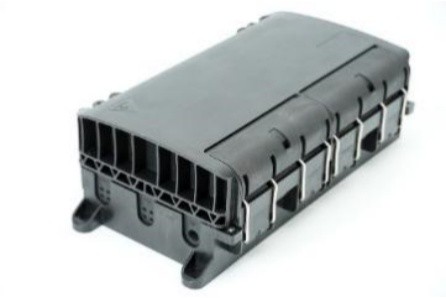
For anything more complex than a single-family home-think office buildings, server closets, or data centers-you need a central hub. This is the fiber enclosure or patch panel. It's a metal chassis, usually mounted on a rack, that holds the critical "meet-points" in your fiber infrastructure.
Where individual fibers are permanently fused together.
Rows of ports (like a wall outlet, but many of them) where patch cables connect.
Spools or channels to neatly store excess, slack fiber cable.
The beauty of a good enclosure is organization and scalability. It turns a potential bird's nest of cables into a labeled, mappable system. You can trace a connection from a port on a switch, through a patch cable to the enclosure, through a splice inside, and out to a cable running to a wall outlet somewhere in the building. Modern ones, especially for data centers, are incredibly high-density, allowing hundreds of connections in a single rack unit. They're the backbone that keeps everything else manageable.
You don't need to memorize specs. Think about these products in terms of the problem they solve in the journey of the light signal:
. It's a protective shell, nothing more.
. This is your modem. Prioritize its LAN port speed and Wi-Fi capability based on your plan and needs.
. It's for aesthetics, protection, and future flexibility. Use it anywhere you want a fixed, clean fiber port.
. It's the organizational hub for all your fibers, making growth and troubleshooting possible.
The most common mistake I see is focusing on just the ONT and ignoring the rest. A great network is a system. A flimsy outdoor box can fail. A messy enclosure makes upgrades painful. Skipping wall outlets leads to cable clutter. By understanding the simple, distinct role of each of these four pieces, you can plan, install, or simply understand your fiber network with much more confidence. It's not about buying the most expensive gear; it's about using the right tool for each specific job in the chain.